 Leech Software
Every screen, as it appears on the App Store.
Swipe through the iPhone, iPad and Apple Watch screens. Everything shown is sample data from the app's demo mode. For how each screen works, see the user guide.
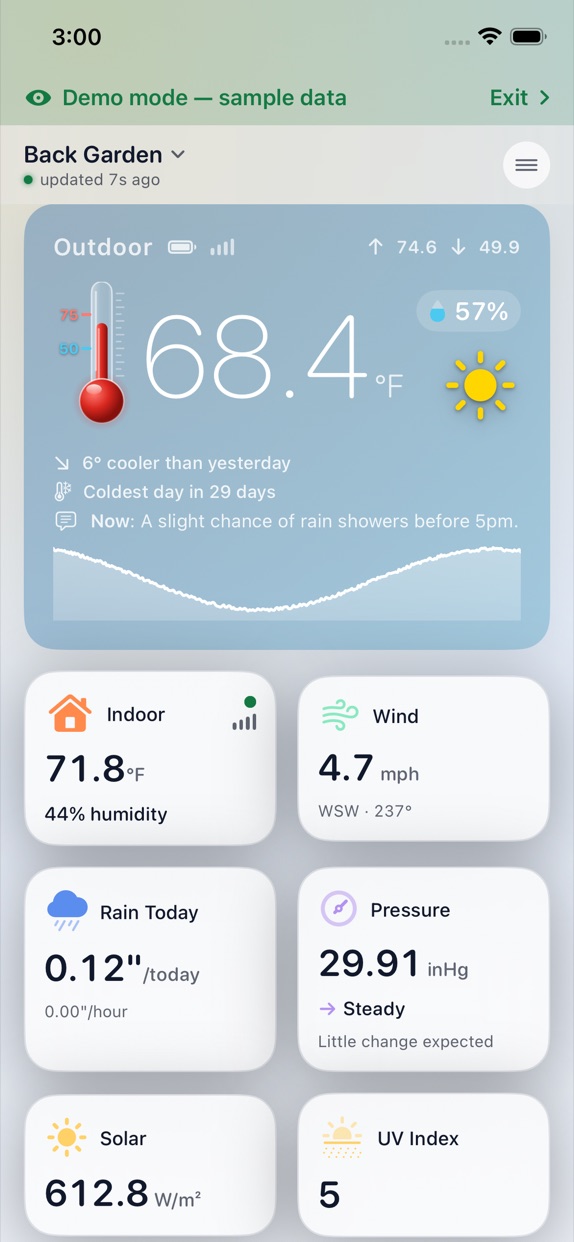
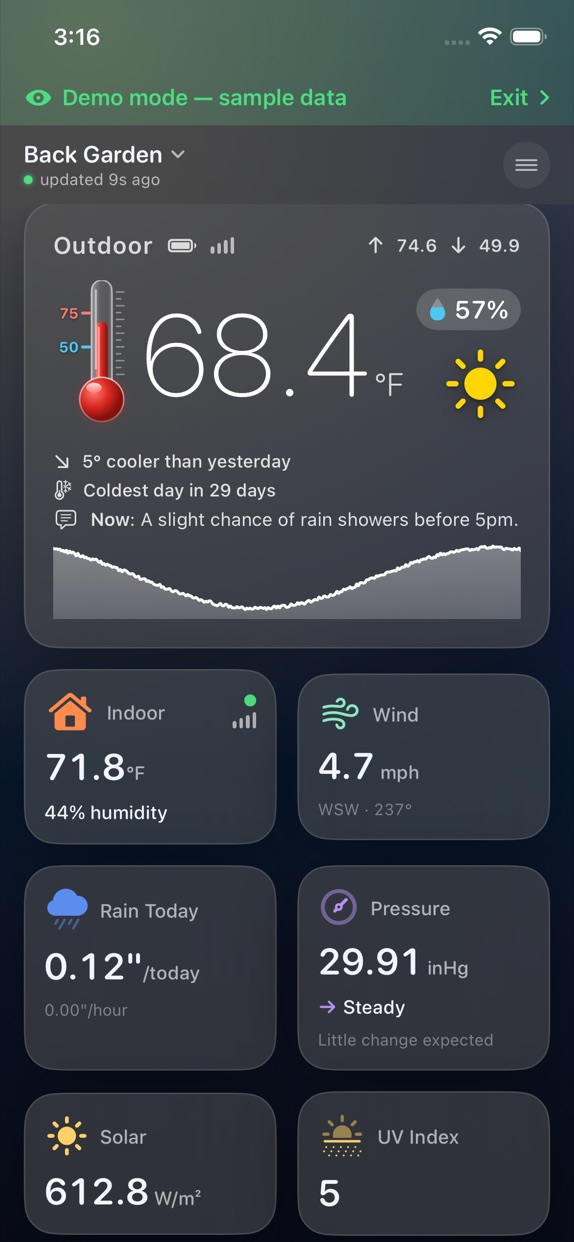
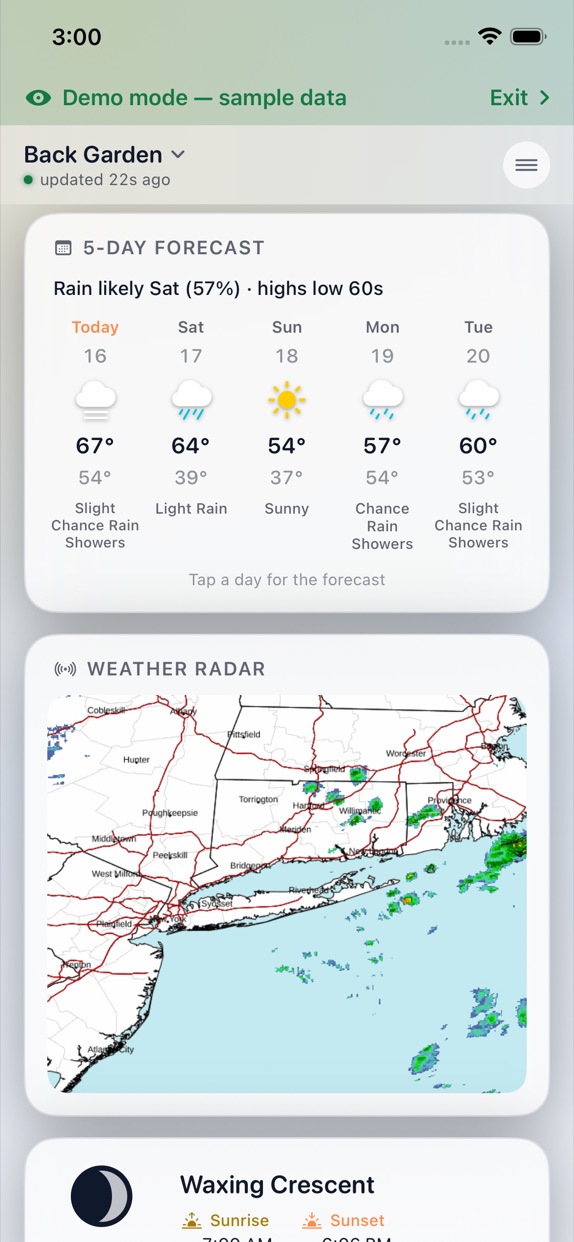
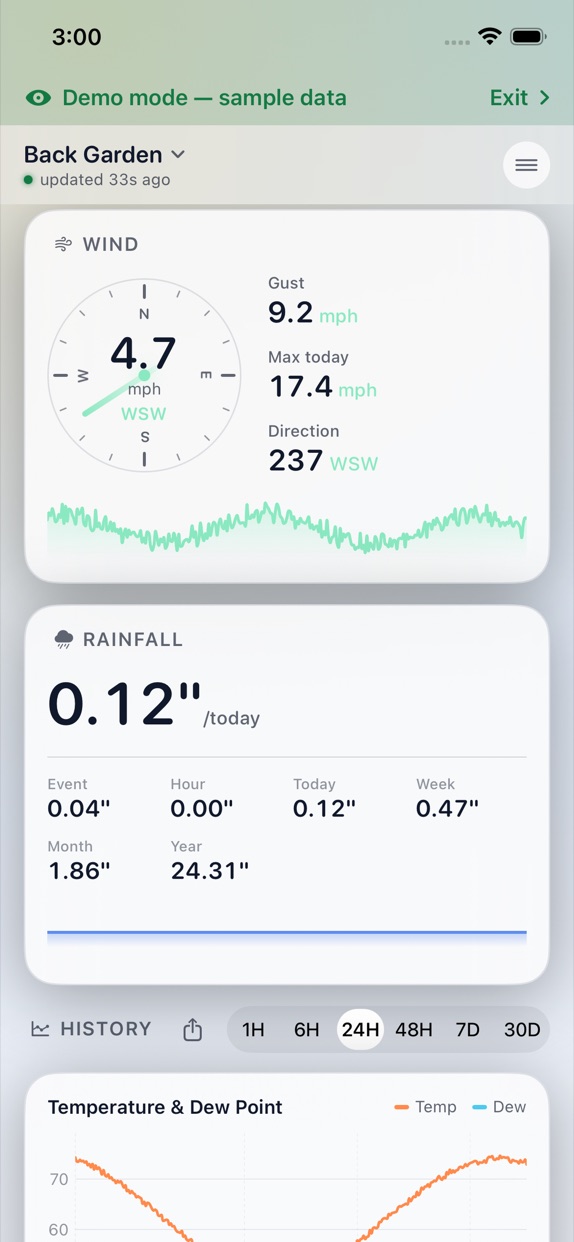
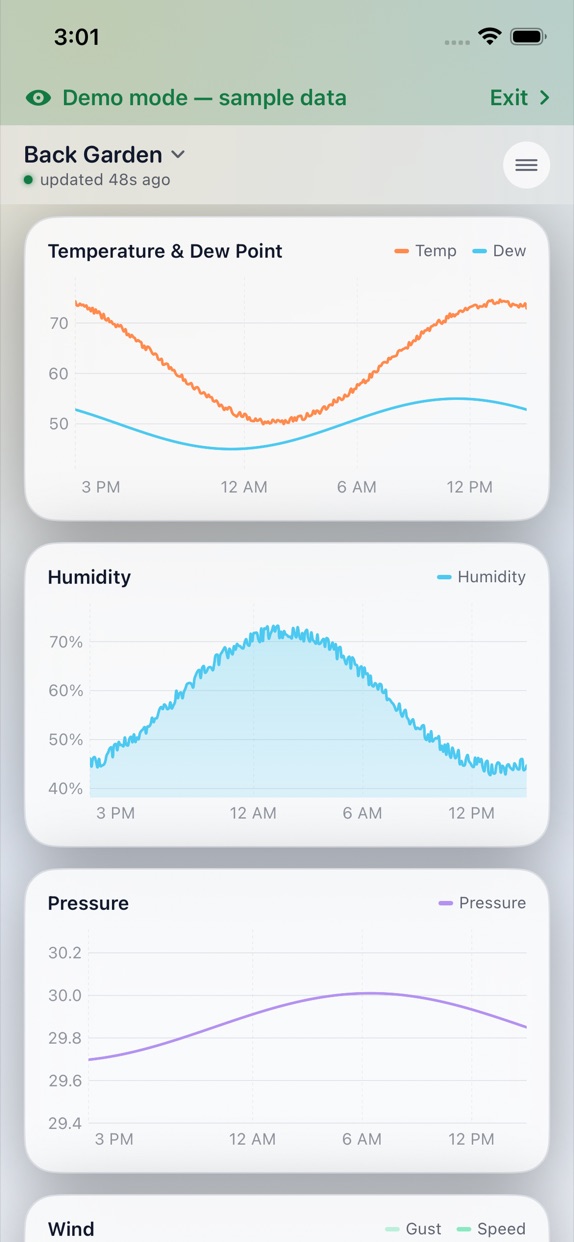
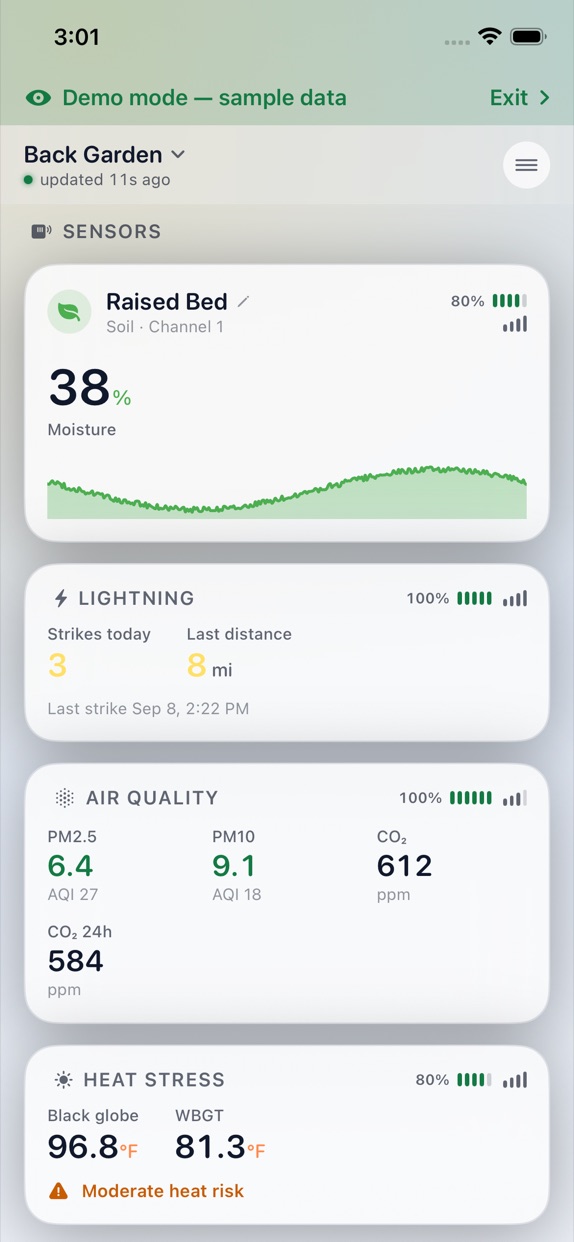
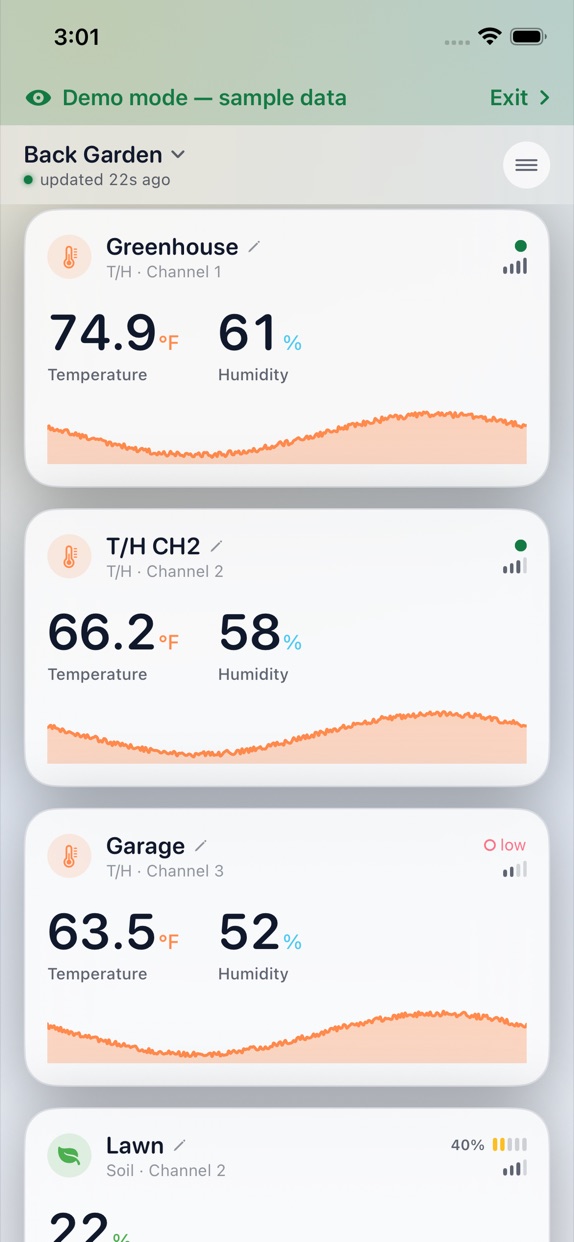
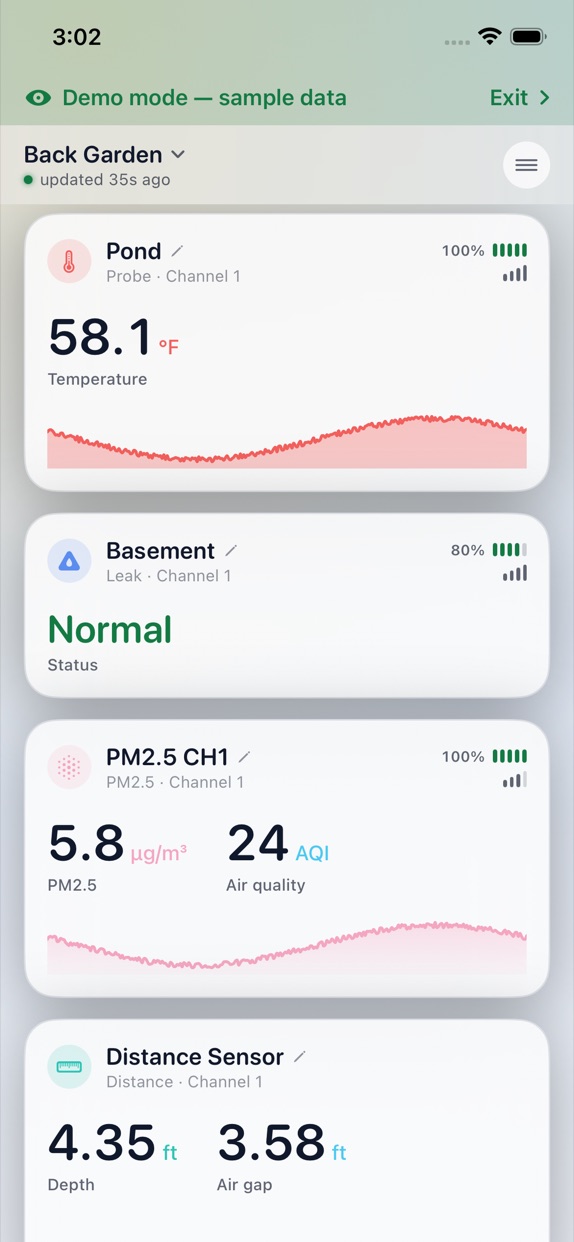
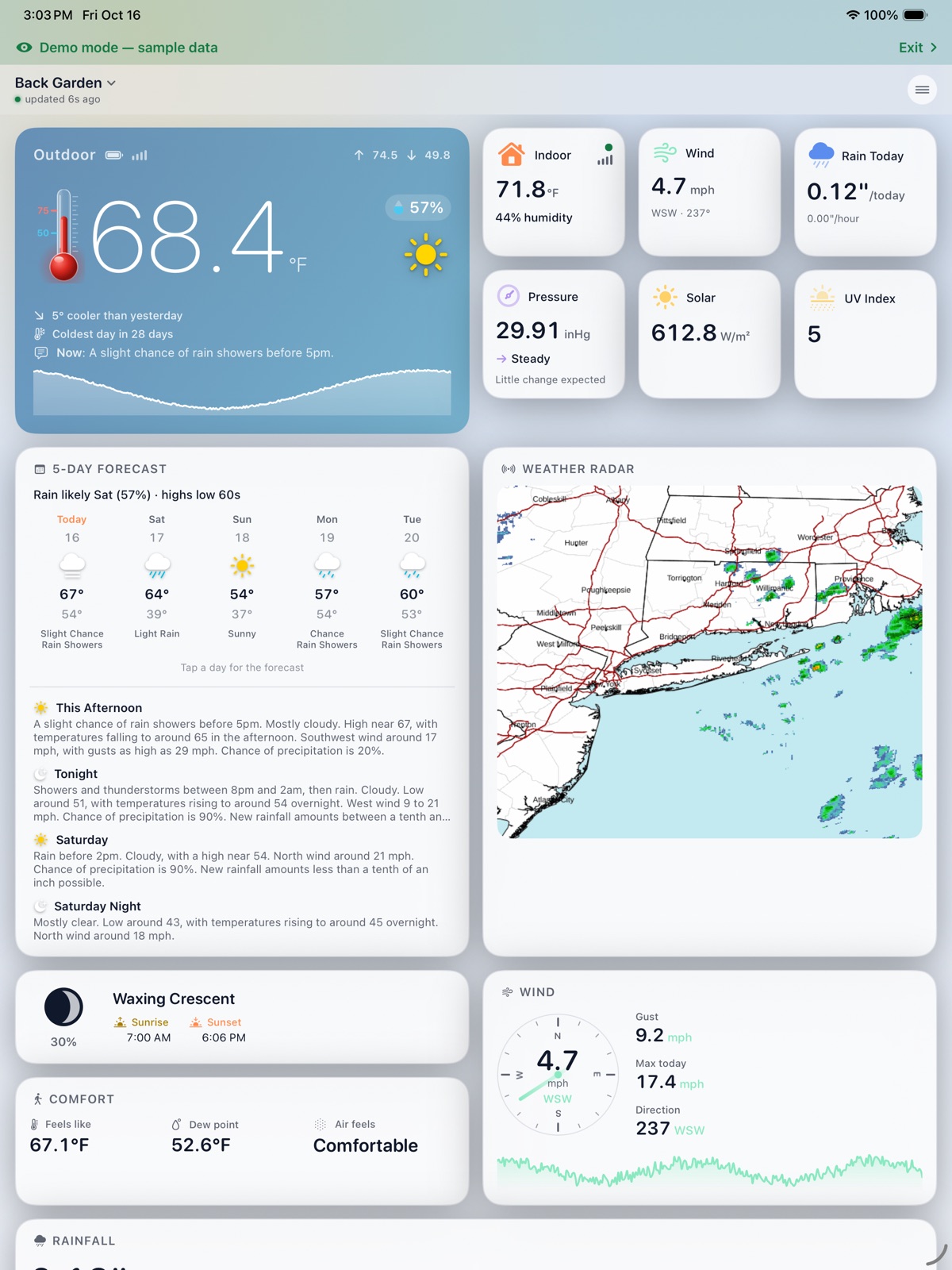
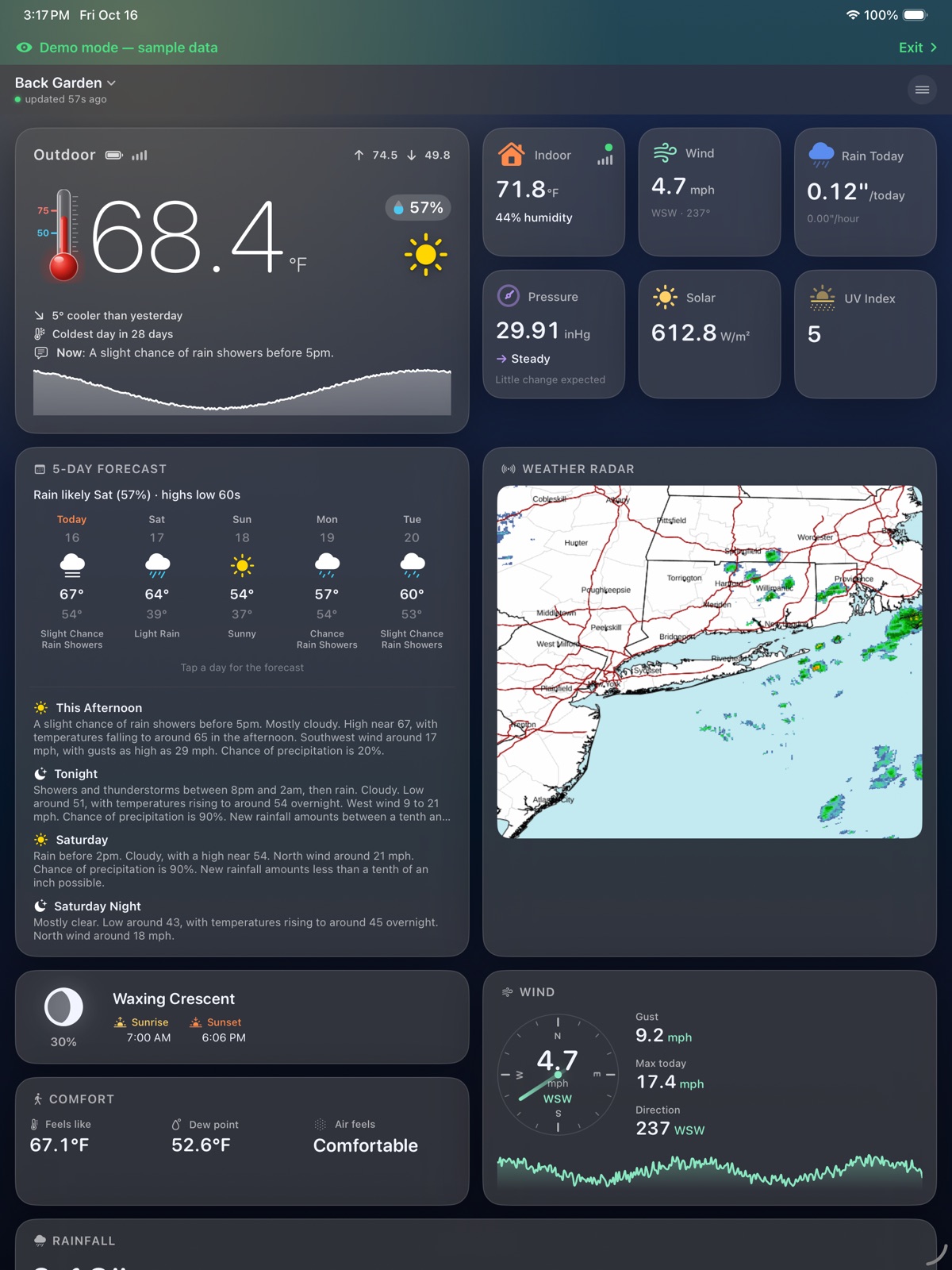
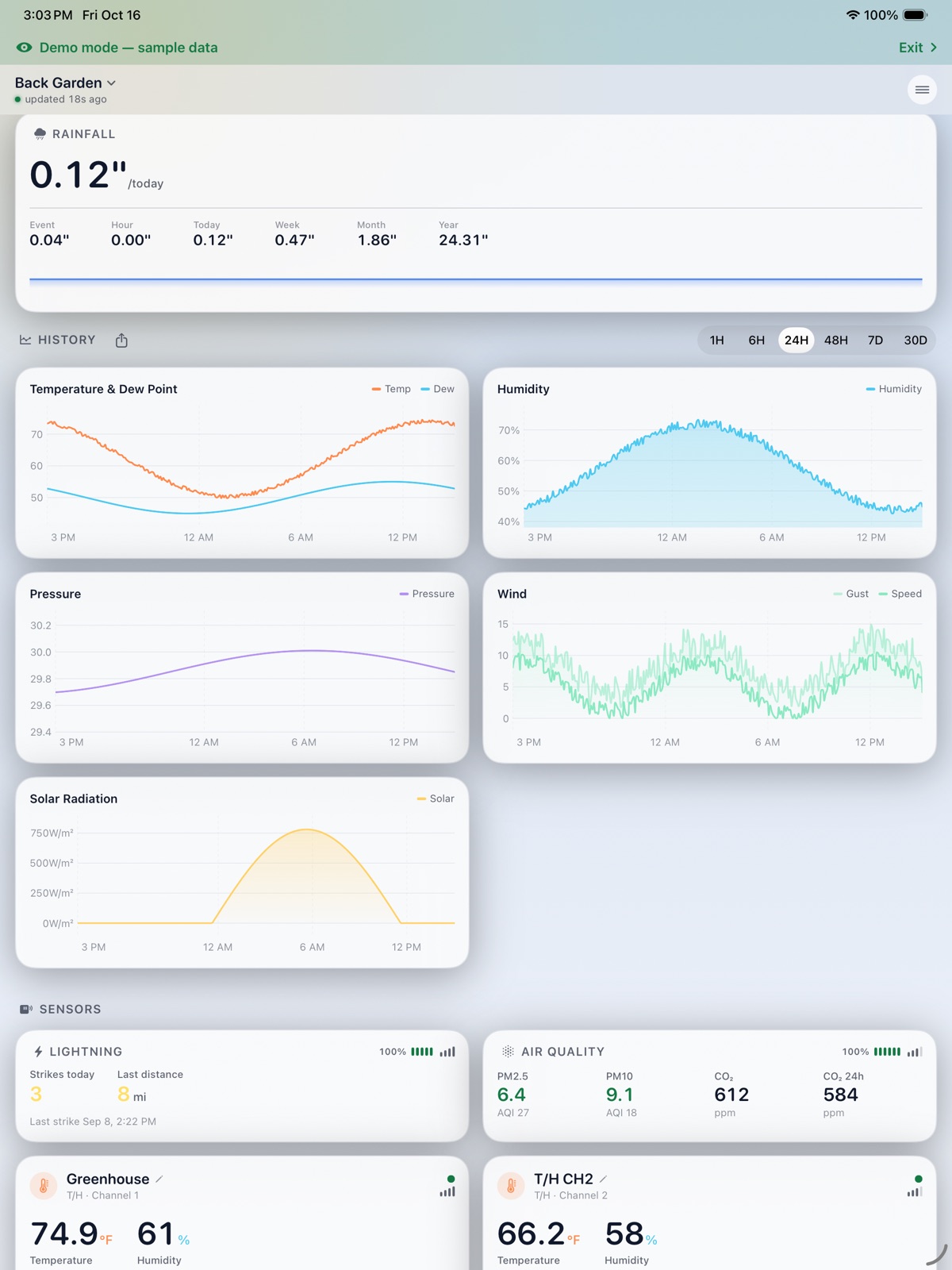
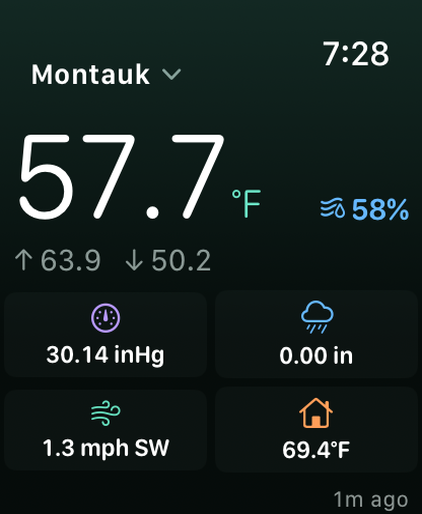
Every reading your station sends.
Live data in a clean card layout. The app only shows the readings your station and sensors actually provide, so there are no empty sections for gear you don't own.
Available readings depend on your gateway, firmware and connected sensors.
Anywhere, or right at home.
Monitor from anywhere
Sign in to ecowitt.net and the app sets up your API keys for you, or paste your own. Then keep an eye on your stations from work, on the road, or across the world.
- Remote monitoring
- Multiple stations
- Sensor history fills in up to a month
- Lets the watch read your station on its own
Straight from your gateway
On your home network the app finds compatible gateways and reads them directly, with no cloud in between.
- Automatic gateway discovery
- Last reading shown the instant the app opens
- Charts fill in from the gateway's microSD card
- Works with no internet connection
Your station on your wrist.
A redesigned watch app with a large outdoor temperature, humidity, and every other reading in an icon grid on one screen. Pick any of your stations right on the watch. With Ecowitt Cloud, the watch reads your station itself, so complications stay up to date even when your iPhone isn't nearby.
- One-screen redesigned app
- New "Station details" complication
- Station picker on the watch
- Updates without the iPhone
- Leak warnings on the watch
- Complications for every watch face
Your station in the menu bar.
The Mac version lives in your menu bar, with the same stations, history, alerts and leak alarm as your iPhone. It's free on the Mac App Store, part of the same listing, and needs macOS 14 or later. It has a page of its own, with a full Mac guide.
Always one click away
- The sky icon and temperature in the menu bar, or just one of them. It switches to LEAK while water is detected.
- A full panel: animated sky, thermometer, live wind dial, forecast, radar and sensors. Hover any graph to read it.
- Drag the panel out into its own window. Keep it on top, or put it on the desktop like a clock, on every Space.
- Mini Mode: sky, temperature, high and low, and one row of readings.
- Drag cards to reorder them.
Watching around the clock
- While it's running, the Mac app watches every station all the time, so alerts go out as soon as something happens.
- It offers to open at login, so it's always watching.
- Desktop widgets for outdoor conditions and any sensor.
- Ecowitt Cloud or local Wi‑Fi, set up in the Settings window, with demo mode to try it first.
Know before you look.
Notifications that matter
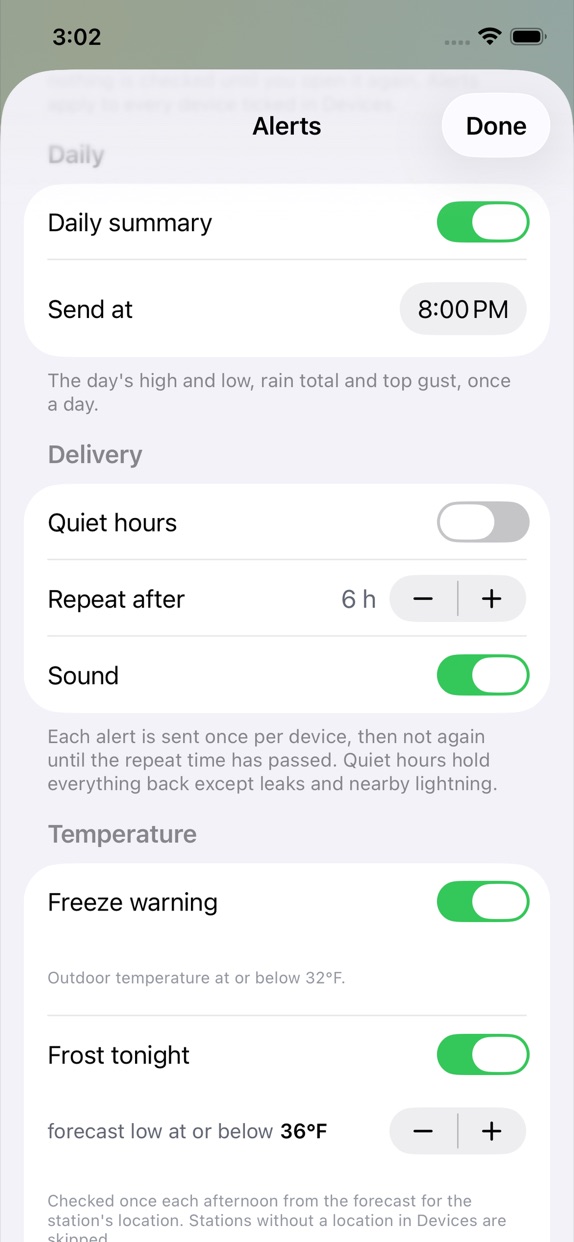
High and low temperatures, frost tonight, strong wind and gusts, rain starting and stopping, heavy rain, lightning nearby, falling pressure, humidity, air quality and a daily summary. Plus sensors that stop reporting, low batteries, a station going offline and firmware updates.
- Quiet hours, so alerts wait until morning
- Every alert includes a picture of the conditions
A distinct alarm when water is detected
With a WH55 leak sensor, the app sounds a rising alarm the moment water is detected, shows a red warning on your dashboard and watch, and tells you when it's dry again.
Built for your station.
History and Records
Graphs from one hour to a month, with the last 24 hours, high and low on every card. Tap any graph for the exact reading. Records keeps highs, lows and totals back to all‑time.
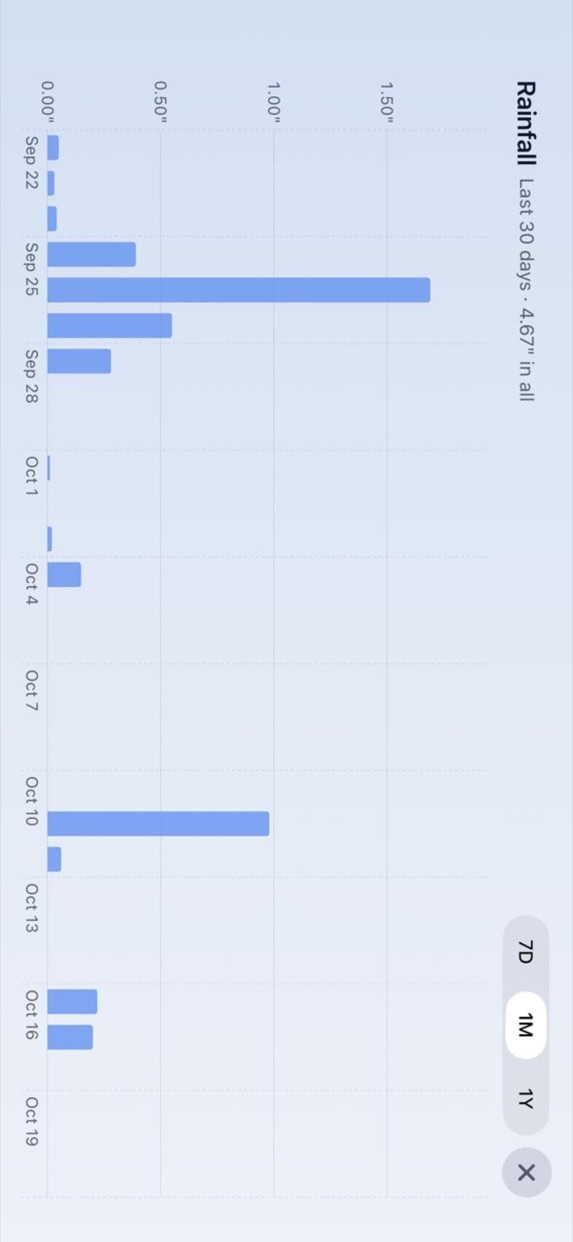
Full‑screen charts
Tap the expand arrow on Rainfall or any sensor for a landscape chart. Rain shows 7 days, a month or a year; sensors show 24 hours up to a month.
SD‑card history
On a GW3000, a newer GW2000 or an HP2560 console with a microSD card, charts fill in straight from the card, for up to a month, with no cloud needed.
Weather cameras
An Ecowitt HP10 camera shows its latest photo on your dashboard. Tap it for full screen.
Water timers and plugs
WFC01 and WFC02 water timers and the AC1100 smart plug appear with their status and readings.
Forecast and radar
A 5‑day forecast with each day's chance of rain, sunrise, sunset and the moon phase. In the US, a live radar map and the National Weather Service's written forecast.
Widgets
Home Screen and Lock Screen widgets, so you can check your own station without opening the app.
Siri and Shortcuts
Ask for your readings, or build them into your own automations.
CSV export
Your history is yours. Export it as a CSV file whenever you like.
Demo mode
Try every screen with realistic sample stations before you connect your own.
- Multiple stations, local and cloud
- Choose your main rain gauge: piezo or tipping bucket
- "No signal" shown when a sensor stops reporting
- Tap a gateway's firmware to check for an update
- Solar in W/m², or kilolux
- A realistic moon on the Sky card
- "Compared to yesterday" notes
- 3‑hour pressure trend and outlook
- Share a picture of current conditions
- Two‑column iPad layout with an expanded forecast
- Firmware update status for every device
- Custom names and order for stations and sensors
- Fahrenheit or Celsius; your choice of pressure, wind and rain units
- Units that follow your region, with knots, m/s and metric distances
- 12‑hour or 24‑hour time
- Light and dark appearance
- No analytics, no ad SDKs, no tracking
Works with your gear.
Supports Ecowitt gateways, consoles and station packages through the local interface or Ecowitt Cloud.
Gateways
Consoles
Outdoor arrays
Sensors and add‑ons
Station packages
Full model list and notes in the user guide. Newer and regional models not listed here usually work too, as they share the same interfaces. Available readings depend on your gateway, firmware and connected sensors.
Up and running in a minute.
Download it, free
Get it on the App Store. No in‑app purchases, no ads, no subscription.
Connect your station
Choose Ecowitt Cloud, or let the app find your gateway on local Wi‑Fi.
Or try the demo
No station yet? Open demo mode and explore every screen with sample stations.
Add a widget or a complication
Put your station on your Home Screen, Lock Screen or watch face.
The specs.
- app
- Dashboard for ECOWITT Weather
- developer
- Leech Software, Inc. · New York, NY
- requires
- iOS 17.0 or later · macOS 14.0 or later
- devices
- iPhone, iPad, Apple Watch and Mac
- category
- Weather · Rated 4+
- price
- Free. No in‑app purchases, no ads, no subscription
- data
- Ecowitt Cloud or the gateway's local interface
- privacy
- No analytics, no tracking. Read the policy
- download
- apps.apple.com/app/id6812456607
Dashboard for Ecowitt is independently developed and is not affiliated with or endorsed by Ecowitt. Ecowitt and related product names are trademarks of their respective owners. Apple, iPhone, iPad and Apple Watch are trademarks of Apple Inc.
Frequently asked.
Does it work with my Ecowitt station?
If your station uses a GW1100, GW1200, GW2000 or GW3000 gateway, a WittField 4G gateway, or one of the consoles listed above, yes. Newer models usually work too, as they share the same interfaces.
Do I need Ecowitt Cloud?
No. On your home Wi‑Fi the app reads your gateway directly, with no internet connection needed. Ecowitt Cloud is optional, and lets you check your station from anywhere and lets the watch update on its own.
Is it really free?
Yes. No in‑app purchases, no subscription, no ads. The app has no analytics or tracking either. It only talks to your gateway, Ecowitt Cloud if you use it, and public weather services for the forecast.
Does it work on Apple Watch?
Yes. There's a full watch app with complications. With Ecowitt Cloud the watch reads your station itself, so complications stay current even when your iPhone isn't nearby.
Where does the history come from?
From Ecowitt Cloud, sensor history fills in for up to a month. Locally, a GW3000, newer GW2000 or HP2560 with a microSD card fills charts straight from the card, also up to a month. Records keeps highs, lows and totals back to all‑time, and you can export everything as CSV.
What's new in the latest version?
Full‑screen charts, SD‑card history, HP10 camera photos, water timers and smart plugs, PM1 and PM4 from the WH46D, a redesigned Apple Watch app with a new complication, and many sensor fixes.
Is there a Mac version?
Yes. It's a free menu‑bar app for macOS 14 or later, on the same App Store listing. It watches every station around the clock while it's running, and has desktop widgets. More on the Mac page.
What's "Weathervane"?
Weathervane is the app's family name. On the App Store it's listed as "Dashboard for ECOWITT Weather", by Leech Software, Inc.
Get in touch
Questions about the app, feature requests, or a bug to report? We reply to every serious message, usually within a day.